
Download PC Win Booster – System Cleanup, Registry Repair, Performance Boost, Windows Optimization
Overview
PC Win Booster is a system utility designed to enhance the performance and stability of Windows-based computers. The application focuses on cleaning and repairing the operating system by identifying and removing elements that contribute to system slowdowns, such as obsolete registry entries and residual files from uninstalled programs. Its primary purpose is to streamline the system, improve responsiveness, and maintain long-term reliability through regular maintenance. This tool is particularly beneficial for users who want to keep their PCs running efficiently without requiring advanced technical knowledge.
PC Win Booster addresses common performance issues associated with aging systems, including slow boot times, application lag, and system instability. By targeting the registry—a critical component of Windows—this utility helps eliminate clutter that accumulates over time due to software installations, updates, and deletions. The app supports a variety of real-world use cases, such as routine system maintenance, pre-purchase PC checks, and performance recovery after software bloat. For casual users, students, and professionals relying on stable computing environments, PC Win Booster offers a straightforward way to manage system health.
The developer, PCWinBooster, has positioned the tool within the System Utilities category, emphasizing its role in optimizing Windows performance. Although no additional background information about the company was provided, the app’s focus on safety, automation, and ease of use reflects a user-centric design philosophy. In the broader software ecosystem, PC Win Booster serves as a lightweight yet powerful solution for users seeking a no-frills approach to system optimization.
Key Features & Functionality
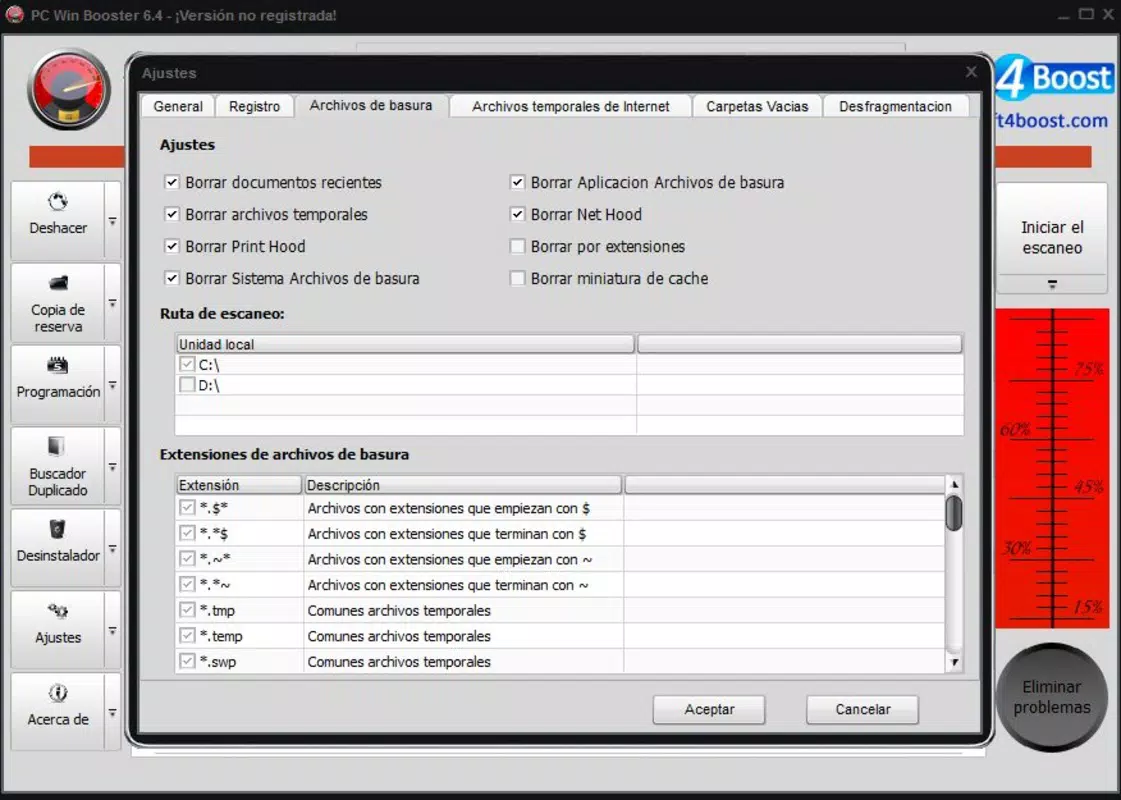
- Thorough Registry Scans: The application performs in-depth scans across 16 distinct registry categories, including orphaned entries, leftover DLLs, and invalid shortcuts. This granular approach ensures that even hidden or deeply embedded system clutter is identified and addressed, contributing to improved system responsiveness.
- Automated Scanning Scheduling: Users can set up recurring scans to run at specific times—such as overnight or during idle periods—without manual intervention. This feature enables consistent system maintenance, ensuring optimal performance without disrupting daily workflows.
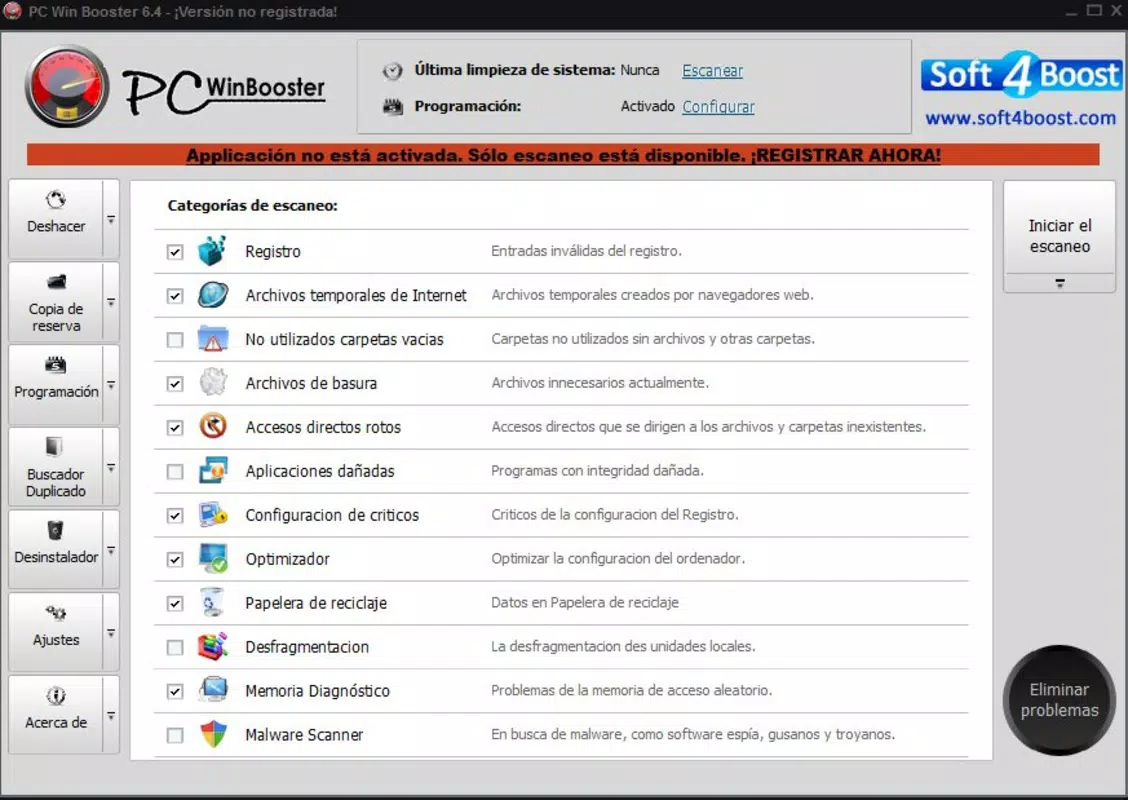
- User-Friendly Interface: The interface is designed for simplicity, with a clean layout and intuitive navigation. Even users with minimal technical experience can initiate scans, review results, and apply fixes with minimal effort, promoting regular system upkeep.
- System Safety Backup: Before executing any changes, PC Win Booster creates a backup of the current system state. This precautionary measure allows users to revert to a previous configuration if unexpected issues arise, enhancing user confidence during optimization tasks.
- Performance Improvement: By resolving registry errors and removing redundant files, the tool contributes to faster boot times, quicker application launches, and smoother overall operation. This makes it a practical choice for users experiencing performance degradation over time.
For example, a user preparing for a presentation can schedule a scan before the event to ensure their laptop runs at peak efficiency. Similarly, a home user managing multiple software installations can use the tool to prevent long-term system degradation. The combination of automation, safety, and precision makes PC Win Booster a reliable utility for ongoing system health management.
Interface, UX & Performance
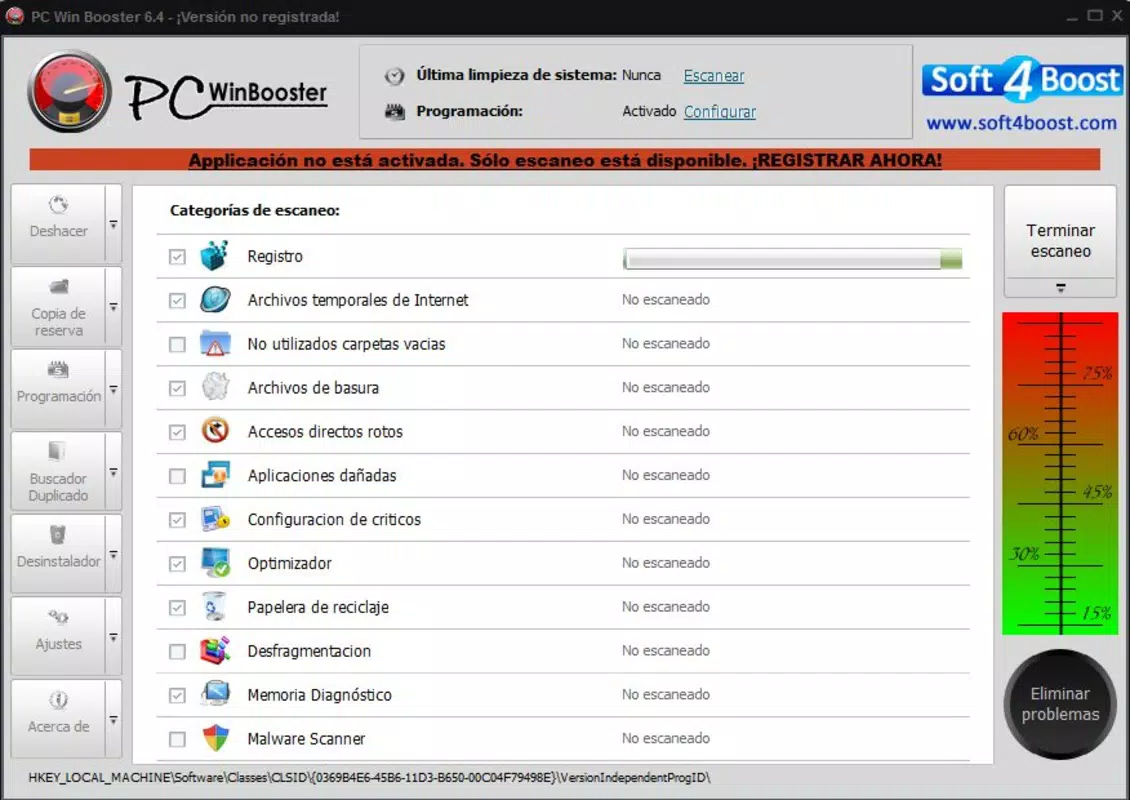
The interface of PC Win Booster is characterized by a minimalist design with clearly labeled sections and straightforward controls. Navigation is linear and predictable, allowing users to initiate scans, view scan results, and apply fixes with minimal clicks. The visual layout avoids clutter, focusing on essential functions to reduce cognitive load and enhance usability.
Although the developer did not list formal performance metrics, the application’s lightweight footprint—3.1 MB—suggests it operates efficiently without consuming significant system resources. This low overhead ensures that the tool itself does not contribute to performance degradation during scans. Users can expect responsive interactions across different device categories, including older or entry-level Windows machines.
Responsiveness is maintained throughout the scanning and repair process, with clear progress indicators and real-time feedback. Stability appears to be a priority, given the inclusion of system backups before any modifications. The absence of reported crashes or errors in the available documentation indicates a reliable execution model. However, specific compatibility details with older Windows versions were not disclosed.
Platform Compatibility & Technical Requirements
PC Win Booster is designed for the Windows platform, supporting the operating system as specified. The current version is 1.0.0, with a file size of 3.1 MB, indicating a compact and lightweight installation. The app is available at no cost, making it accessible to a wide audience seeking system optimization tools.
The developer did not specify minimum OS requirements or compatibility with specific Windows versions. As such, users should exercise caution when installing on systems running outdated or unsupported editions of Windows. While the small file size suggests broad compatibility, it is advisable to verify system requirements through official channels before installation. No information was provided regarding updates, automatic sync, or cloud integration.
Pros and Cons
Pros
- Lightweight installation at only 3.1 MB
- Free to download and use
- Comprehensive registry scanning across 16 categories
- Automated scan scheduling for hands-free maintenance
- Includes system safety backups before repairs
- User-friendly interface suitable for beginners
Cons
- Specific OS compatibility details were not provided
- Developer background and support channels were not disclosed
- No information on update frequency or release history
- Performance metrics and benchmark data were not shared
- Limited visibility into advanced settings or customization options
FAQ
Is PC Win Booster safe to use?
Yes, the tool includes a safety backup feature that preserves the system state before making any changes. This allows users to restore their system if needed, reducing the risk of unintended issues.
Can I schedule scans to run automatically?
Yes, PC Win Booster supports automated scanning. Users can set specific times and scan categories to run scans without manual intervention.
Does PC Win Booster work on older versions of Windows?
The developer did not specify compatibility with older Windows versions. It is recommended to verify system requirements before installation.
Is PC Win Booster available for macOS or Linux?
Currently, PC Win Booster is only available for the Windows platform. No information is available regarding support for other operating systems.
How often should I run a scan?
For optimal performance, users can run scans weekly or monthly, depending on usage patterns. Automated scheduling simplifies regular maintenance.
Final Thoughts
PC Win Booster presents a focused, no-nonsense solution for Windows users seeking to improve system performance through registry cleanup and error repair. Its combination of automated scheduling, safety backups, and an intuitive interface makes it accessible to users of all experience levels. While detailed technical specifications and compatibility data are limited, the app’s lightweight design and free availability enhance its appeal.
Individuals managing personal computers, students, and professionals who rely on consistent performance will benefit most from this tool. It delivers tangible value by reducing system clutter, improving responsiveness, and promoting long-term stability. For those looking to optimize their Windows environment without complexity, PC Win Booster offers a reliable and straightforward approach.
Download PC Win Booster now


